Agentic AI in iDevOps
AI agents for SAP Integration Suite
Deliver new interfaces in roughly half the time and resolve SAP Cloud Integration incidents faster. The iDevOps agents build from your own templates, check against your standards and learn from the incidents your team has already solved. Rojo runs them inside your network, and nothing goes live without your team's approval.

Where SAP integration teams lose time
Integration demand keeps growing. Your team doesn't. Most of the lost hours sit in three places.

How the iDevOps AI agents work
iDevOps is an integration DevOps lifecycle for SAP Integration Suite in which AI agents support design, build, test, deploy and monitor. Four agents, one shared knowledge base: your own documentation, patterns, standards and incident history, which today sit in Confluence, Jira, Git and a few people's heads. The agents prepare, check and propose; your team reviews and decides.

Develop: builds from what exists
Scaffolds new interfaces from your templates, sets parameters from your conventions, and drafts mappings and documentation. Ask it in Teams: “Build an interface for customer data from Salesforce to S/4HANA.”
Consult: answers before you build
Which templates exist, which operations an adapter supports, which naming convention your team follows, answered from your own artefacts: “Is there a template for Salesforce change events into Snowflake?”

Govern: checks before anything ships
Configuration is checked against your standards, approval logic and compliance rules while the developer works. Every check is logged with the rule that fired and why.

Ops: diagnoses, cures, engages
Matches each SAP Cloud Integration failure against your known errors, retries or self-heals the causes you approved, and alerts the business owner who can act: “3 invoices failed, incorrect IBAN: correct it in vendor master data.”
Built to run in your SAP production landscape
Three things decide whether AI agents belong in a production landscape: where they run, what they may change on their own, and who operates them.

Runs inside your network
The agents, the knowledge base and your patterns stay on infrastructure you manage. Nothing has to leave it. Your team works with the agents in Microsoft Teams or Slack.

Fixes only what you approved
Self-healing applies to known causes with a remedy you signed off. Everything else reaches an engineer with the root cause analysis ready. Every action is logged.

Deployed and operated by Rojo
Request a change, register an incident, get notified about updates, the way you already work with our managed services team.
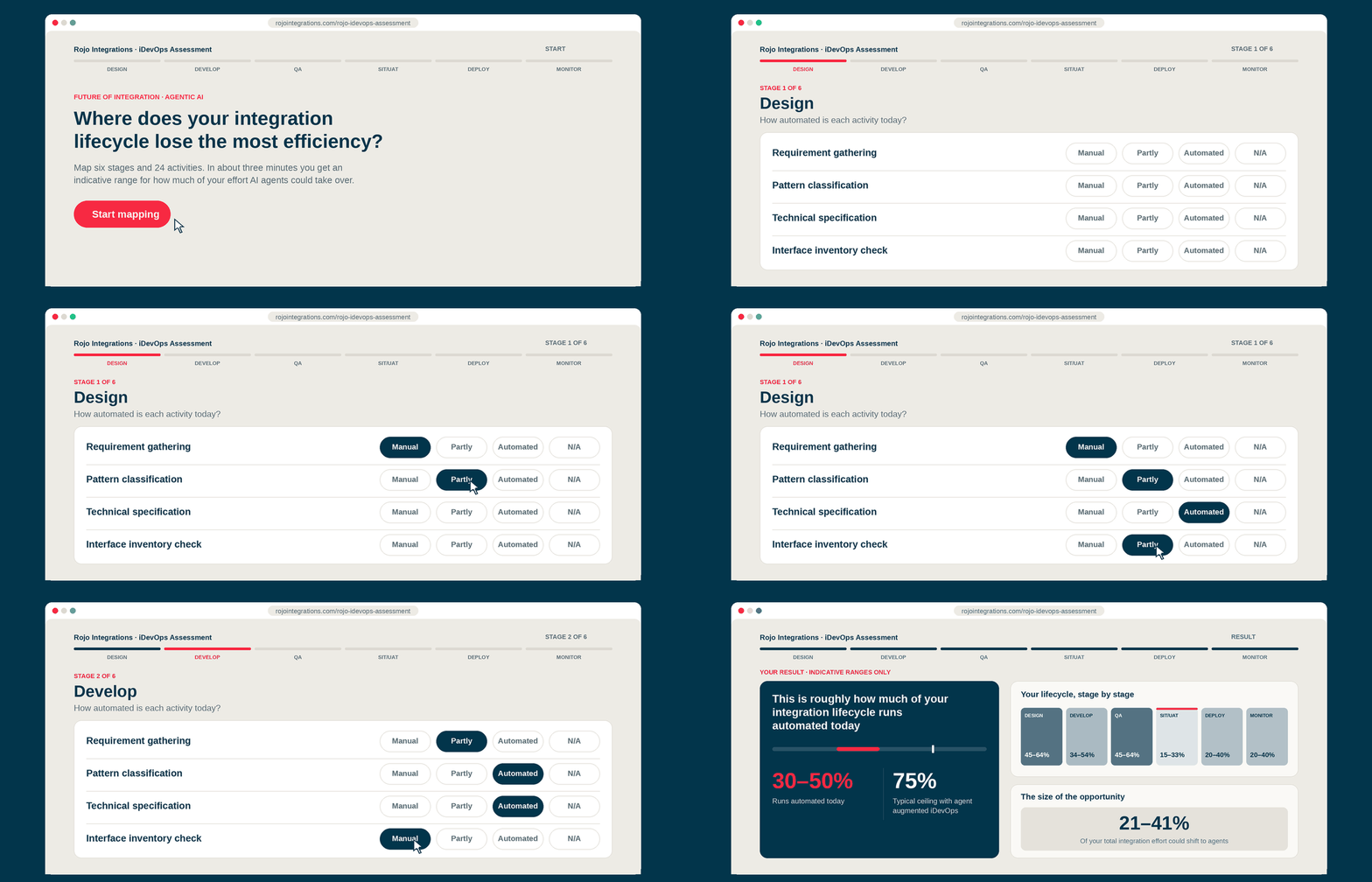
See where your integration lifecycle loses time
Assess, lay the foundation, deploy the agent. Start with the three-minute assessment, or go straight to an integration architect. Worth it if delivery costs keep rising, demand outpaces your team, or standards are hard to enforce across everyone who builds.

Questions about AI agents for SAP integration
Quick answers for integration leaders and SAP architects evaluating the iDevOps agents.